
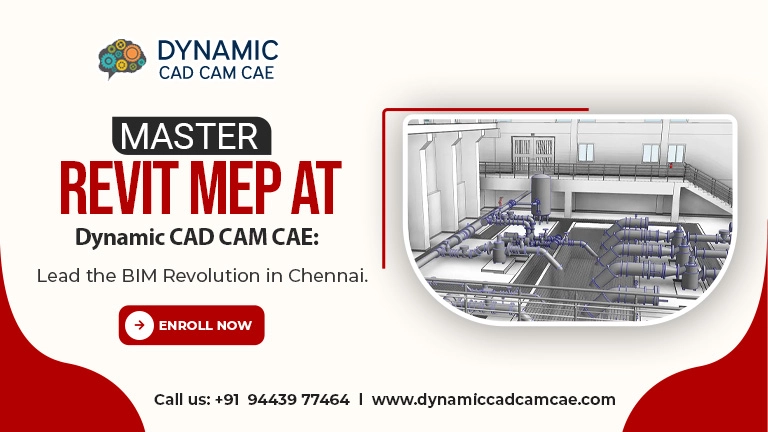
The construction industry in India is undergoing a massive digital transformation. Nowhere is this more evident than in Chennai, a city rapidly evolving into a global hub for engineering and sustainable infrastructure. As traditional 2D drafting fades into the background, Building Information Modeling (BIM) has emerged as the new gold standard. At the heart of this revolution is Revit MEP.
If you are a mechanical, electrical, or plumbing engineer looking to transition from basic sketches to intelligent 3D modeling, finding the right Revit MEP training in Chennai is the most critical career move you will make this year. Dynamic CAD CAM CAE is here to ensure that the transition is seamless, professional, and industry-aligned.
What is Revit MEP and Why Does it Matter?
Revit MEP is a powerful BIM software specifically designed for professionals in the Mechanical, Electrical, and Plumbing (MEP) disciplines. Unlike traditional CAD tools that focus on lines and shapes, Revit focuses on “intelligent objects.”
When you place a pipe or a conduit in Revit, the software understands its flow, its material properties, and—most importantly—how it interacts with the structural and architectural elements of the building. This “clash detection” and coordination capability is why Revit MEP experts are currently among the most sought-after professionals in Chennai’s job market.
The Dynamic Roadmap: Our Revit MEP Curriculum
At Dynamic CAD CAM CAE, we don’t just teach you which buttons to click. We teach you the logic of BIM. Our comprehensive training roadmap is designed to take you from a beginner level to a specialist role.
1. The BIM Environment & Interface
The journey begins with an introduction to the Revit environment. You will learn to navigate the project browser, properties palette, and the ribbon. Understanding the hierarchy of Revit—Categories, Families, and Types—is essential for any MEP professional.
2. Mechanical (HVAC) Systems
For mechanical engineers, we dive deep into heating, ventilation, and air conditioning. You will learn to:
- Perform heating and cooling load calculations.
- Place air terminals and mechanical equipment.
- Automate duct routing and sizing while ensuring proper airflow.
3. Electrical Systems
Electrical design in Revit involves more than just drawing wires. Our training covers:
- Designing lighting layouts and calculating illumination levels.
- Modeling cable trays, conduits, and panels.
- Creating electrical circuits and power systems that update in real-time as you modify the design.
4. Plumbing and Fire Protection
Modeling fluid systems requires precision. We teach you how to:
- Create domestic water and sanitary piping systems.
- Design fire protection systems, including sprinkler layouts.
- Manage slopes for drainage and verify pipe diameters based on fixture units.
5. Coordination and Collaboration
The “M” in BIM stands for Modeling, but the “I” stands for Information. You will learn how to link architectural and structural models to your MEP project, ensuring that your pipes don’t run through a structural beam or a doorway.
Why Choose Dynamic CAD CAM CAE for the Revit MEP Training in Chennai?
With several institutes offering software courses, why should you trust Dynamic CAD CAM CAE with your professional development?
- Project-Based Learning: We don’t use generic tutorials. Our students work on real-world building blueprints, mimicking the tasks you will face in a professional design firm.
- Industry-Expert Trainers: Our faculty consists of MEP specialists who have years of experience in BIM implementation. We share the “shortcuts” and “best practices” that you won’t find in a textbook.
- Cutting-Edge Lab Facilities: Our training center in Chennai is equipped with high-end workstations designed to handle the heavy processing power required for Revit 3D rendering and coordination.
- Placement Assistance: We leverage our network with engineering consultants and construction firms in Chennai to help our students find the right career opportunities post-certification.
- Flexible Batches: Whether you are a student or a working professional, we offer weekend and evening batches to suit your schedule.
Conclusion: Step into the Future of Building Design
The era of manual coordination and static 2D blueprints is ending. To stay relevant in the engineering sector, you must adapt to the BIM workflow. By choosing the Revit MEP training in Chennai at Dynamic CAD CAM CAE, you aren’t just learning a software tool—you are mastering a methodology that is used to build the world’s most iconic structures.
Essential FAQs: Revit MEP Training in Chennai
To help you get started, we’ve answered the most frequent questions regarding our program.
1. Is Revit MEP better than AutoCAD for MEP engineers?
Yes, Revit MEP is far more advanced than AutoCAD because it utilizes BIM. While AutoCAD creates 2D drawings, Revit creates an intelligent 3D model with embedded data, allowing for automatic scheduling, clash detection, and better collaboration.
2. What are the career opportunities after completing Revit MEP training in Chennai?
Chennai is a major hub for international engineering firms and EPC companies. Graduates can pursue roles such as BIM Modeler, MEP Coordinator, BIM Technician, and Revit Specialist. These roles typically offer higher salaries compared to traditional 2D drafting roles.
3. Do I need prior experience in 3D modeling to join Dynamic CAD CAM CAE?
Not at all. While a background in mechanical, electrical, or plumbing engineering is necessary to understand the design concepts, our Revit MEP training in Chennai starts from the absolute basics of the software.
4. Does the course include training on “Clash Detection”?
Absolutely. One of the core benefits of Revit is the ability to find “clashes” between different building systems. We teach you how to use Revit’s internal tools and Navisworks integration to ensure a clash-free design.
5. How long does it take to complete the Revit MEP course?
The duration typically ranges from 40 to 60 hours, depending on whether you choose a regular or fast-track batch. We prioritize quality and ensure that every student has enough time to complete our hands-on projects.